CONTEXT ENGINEERING
Prompt reuse starts with a Registry

Patrick Debois
Where do you store your prompts? It’s a common question we hear both from individuals and teams who want to reuse their prompt across different agents, projects or teams. Let’s find out how we can make that happen easily!
From vibe coder to reusable prompts
After an initial period of vibe coding, people often realize they are repeating the same prompts. The pain becomes even more clear when they start on new projects thinking they’ve seen this movie before and it’s starting to feel tedious. Or teams collaborating on projects realizing they do a lot of copy and pasting of prompts which feels clunky and a waste of energy. If only there was a better way…
This is when they move from ephemeral prompts to thinking about reusable context: by providing the agent with information (in the form of prompts) before asking a question , the agent understand your context better. So reusing prompts enable your agents to do a better job and do less mind reading (what some people initially expect :) . They form the basis of context engineering: what piece of information (prompts, documentation) does the agent need to complete the task.
Common examples of reusable context are:
- Rules: (things you want agents to follow)
- how you want the agent to create your directory structure or use your coding conventions
- deployment and software delivery guidelines provided by the platform team
- security standards set by your DevSecOps team
- Documentation: (on-demand information that the agents chooses when to load)
- knowledge on how to code with your favorite software libraries
- understanding of your internal microservices architecture
- Command: (actions invoked by humans)
- repeatable workflows while writing specifications, flowing from test to code or assisted debugging
- helper functions that act a shorthand for common tasks
- Having reusable context is one thing, but where do you store them and even more so, how do you share and actually reuse them? At Tessl, we’ve been through exactly the same process and we’ve been looking at different ways people share and reuse their prompts. Here’s what we found in the wild and how we think the Tessl registry can help.
Existing prompt sharing techniques
1. Using Git and Git submodules
The most common approach is to simply store your prompts directly to your code repository. You would add your AGENTS.md (http://AGENTS.md) , .cursor/rules or similar there. Now in order to reuse prompts, you create a new separate repository, add the prompts there and then use git submodules so they become a git dependency to your future projects.
⇒ While git is great for versioning, we found that people often struggle with the submodule subcommand : they forget to commit changes to it or forget update the submodule for changes.
2. Coding Agent specific prompt repositories
Coding IDEs and CLI tools have also started their own alternatives to solve the problem: for example, Cursor has the concept of rules (https://cursor.com/docs/context/rules) and you can share these rules with your teams, Claude Code has Claude Skills (https://code.claude.com/docs/en/skills) another form of packaging reusable components. All these approaches act as a way to distribute and share reusable prompts.
⇒ While the process around sharing prompts is improving in coding agents, it locks you into a specific coding agent which makes it hard to reuse the same context in other agentic tools.
3. Using a code package manager
The third approach, albeit not very common, is to package prompts as a regular coding package. After all, this is a simple way to install and manage dependencies. They already understand bundling, semantic versioning and have scripts. And prompts after all are a sort of like code.
⇒ While we can easily bundle prompts as a part of a package, it does require people to write and update their own scripts to install the prompts in the right places and transform them into the right format. Additionally if the same prompts are reused for different tools or ecosystems say node and python, what package manager do you use for it ?
Enter Tessl - your AI Native package manager
The Tessl registry offers an alternative approach which brings the best of the above:
- Easy to use: simply use
tessl install,tessl updateto manage your prompts as dependencies for your project - Version controlled: familiar use of semantic versioning to stay up to date
- Vendor agnostic: not tied to a specific tool or ecosystem but reusable across all your agents and in case of multi-agent use, understands the specific tool context location and syntax format.
- AI Native: out of the box support for coding agents , no need for additional scripting.
Installing your first tile
We call a package of reusable prompts a tile . Installing a tile is as simple as tessl install myorg/myprompts . Under the hood we create a tessl.json in your repo and add the dependency. Looks familiar, right ?
1{
2	"name": "my-project",
3	"dependencies": {
4		"myorg/myprompts": {
5			"version": "1.0.0"
6		}
7	}
8}
Now anyone checking out your repo can do a tessl install and they are up and running with the correct prompts in their coding agents. This pattern should feel natural for developers: They are used to package managers to install and manage their dependencies. Internally we often make the comparison with Typescript @types where code and types are published separately which is a similar approach that helped scale types.
Publishing your first Tessl tile
We know by now you’re anxious to publish your own tile! Let’s get to it:
Setup your Tessl environment
- First you signup to the Tessl platform - https://tessl.io/login
- After you created an account you will have your very own workspace to collaborate in.
- Next you install Tessl:
npm install @tessl/cliand logintessl login
Prepare your tile
Let’s publish the following basic prompt which we have in guidelines.md .
1# Typescript coding guidelines
2## Coding guidance
3- You are an expert Typescript developer.
4- Aways deliver professional and secure code.
5## Testing Preferences
6- When you add code, also add relevant tests.
7- Use `mocha` as framework for testing.
8## Project Directory structure
9- Split code into multiple modular components.
10- Tests go into the `test` directory
11## Documentation
12- Add documentation to README.md
13- Keep my documentation up to date when you do code changes
Next we’ll create tile.json manifest file for our 1.0.0 version and our workspace myworkspace
1{
2  "name": "myworkspace/my-typescript-guidelines",
3  "version": "1.0.0",
4  "summary": "Typescript styleguides.",
5  "private": true,
6  "steering": {
7      "guidelines": {"rules": "guidelines.md"}
8  }
9}
Two specific things to notice:
steering: The prompts are listed under the “steering” property. Steering is a technical term roughly means to “steer” your agent with any prompts/guidelines you give it. It is a good match for “rules” context that you want your agents to adhere to.private: by default prompts are private. That is within your workspace depending on user membership. For now you can request prompts to be promoted to public through the UI and we’ll revise.
Now you can simply publish your tile:
1$ tessl tile publish `pwd`
2✔ Spec published as myworkspace/my-typescript-guidelines@1.0.0
And that’s it!
Note: Tessl also supports other types of context in tiles such as knowledge and actions.
Using your first tile
In your next project
As the owner of the tile, installing your tile in a new project is simple:
- First you make the repository tessl aware by using
tessl init. This will guide you through setting up your Agent to pickup the prompts linking it to your CLAUDE.md or Cursor rules. - Next add the tile with
tessl install myworkspace/my-typescript-guidelines@1.0.And you are ready to go! - When you want to update , just change the prompt, bump the version, and publish.
- Make sure to check in your
tessl.jsoninto your repo so you can always dotessl installto install all dependencies or keep it up to date withtessl update.
Tip: In case you want to run it in your CI/CD environment you can setup an Tessl Auth Token.
Bring your coworkers along
In order to use your tiles, your coworkers need to be added to your workspace:
- First they need to signup and create a Tessl username.
- Then navigate to your workspace management
- Select the workspace where you want to invite them
- Add them either as a
viewer(to install tiles) or as amember(to allow publishing tiles)
Now they can install your tiles just like you do. That’s it!
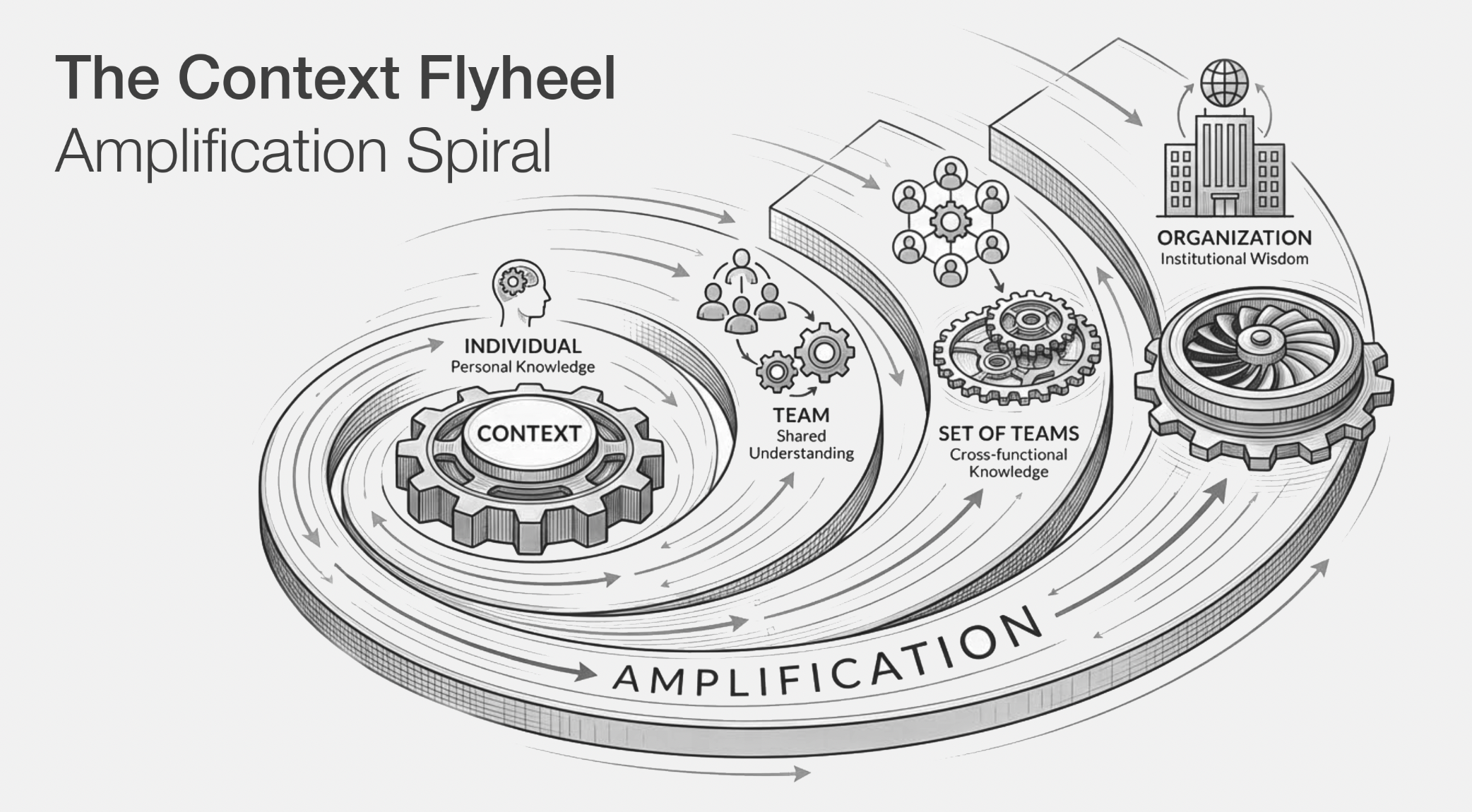
Scale your prompt across your organisation
You can now truly scale and collaborate on prompts across your whole org:
- Senior developers sharing their best practices.
- Product owners adding project specific knowledge.
- Platform and DevOps providing their guidelines on good architecture.
- Security and Compliance setting guardrail rules.
We can’t wait to see what prompts you will share in our Registry !
COPY & SHARE
Patrick Debois
Patrick is a true pioneer, credited with coining the term DevOps, co-authoring the DevOps Handbook, and launching the very first DevOpsDays back in 2009. Since then, he’s been shaping the tech industry with his unmatched ability to bring development, operations, and now GenAI together in truly transformative ways. Here’s why you don’t want to miss this: 🔹 Independent consultant at the cutting edge of GenAI and DevOps 🔹 Fractional CTO, advisor, and workshop leader 🔹 Former VP of Engineering, Distinguished Engineer, CTO 🔹 Guided teams at industry giants like Atlassian and Snyk 🔹 Active speaker, community builder, and lifelong learner 🔹 Content Curator of the AI Native Developer community. Patrick is all about raising the bar, helping companies embed engineering rigour into their GenAI journeys, inspiring teams to embrace AI for automation, and advising GenAI platforms on how to truly deliver value. He bridges the gap between management and engineering with a rare mix of deep tech expertise and people-first thinking. 💬 Ready to hear where the future of DevOps, GenAI, and software delivery is headed? This is your chance.
READING
·
0%
IN THIS POST
COPY & SHARE
Patrick Debois
Patrick is a true pioneer, credited with coining the term DevOps, co-authoring the DevOps Handbook, and launching the very first DevOpsDays back in 2009. Since then, he’s been shaping the tech industry with his unmatched ability to bring development, operations, and now GenAI together in truly transformative ways. Here’s why you don’t want to miss this: 🔹 Independent consultant at the cutting edge of GenAI and DevOps 🔹 Fractional CTO, advisor, and workshop leader 🔹 Former VP of Engineering, Distinguished Engineer, CTO 🔹 Guided teams at industry giants like Atlassian and Snyk 🔹 Active speaker, community builder, and lifelong learner 🔹 Content Curator of the AI Native Developer community. Patrick is all about raising the bar, helping companies embed engineering rigour into their GenAI journeys, inspiring teams to embrace AI for automation, and advising GenAI platforms on how to truly deliver value. He bridges the gap between management and engineering with a rare mix of deep tech expertise and people-first thinking. 💬 Ready to hear where the future of DevOps, GenAI, and software delivery is headed? This is your chance.
YOUR NEXT READ
The State of the AI Coding Stack: Agent Skills, Harnesses, and Enablement at AI Native DevCon London 2026
AI Native DevCon London 2026 explored the evolving AI coding stack, focusing on agent skills, context development, and governance in AI-native software processes.
Patrick Debois