
Manage agent skills across your organization
Discover, govern and share agent skills across your organization, with publishing policies, access controls and adoption tracking.
Find your team's skills before writing another
Discover skills and agent context across the repositories you connect and the plugins shared with your org. Find conflicting guidance, inspect reported issues and review quality, security and task-evaluation results before you reuse or install anything.
Explore discoveryTest and improve skills before sharing
Evaluate skills on representative tasks. Compare results with and without a skill, across models and by cost, then find weaknesses and test improvements before publishing a version for your team.
Explore optimizationSet policies for access, publishing and installation
Control who can publish and who can access private plugins. Scan every skill for security issues, hold it to your quality bar and block risky installs before they reach your agents.
Scanning helps assess risk; it does not guarantee safety.
Explore policiesPermissions
Separate who does what
Separate organization administration, publishing and access to private plugins through organization roles.
Security
Inspect findings, powered by Snyk
Set installation warning and blocking thresholds and restrict permitted sources at the organization or project level.
Publishing
Hold a quality bar
Require skills to meet configured quality and security thresholds before publication.
Sign-in
Single sign-on
Use SAML SSO on Business and Enterprise plans.
Share versioned skills with the right teams
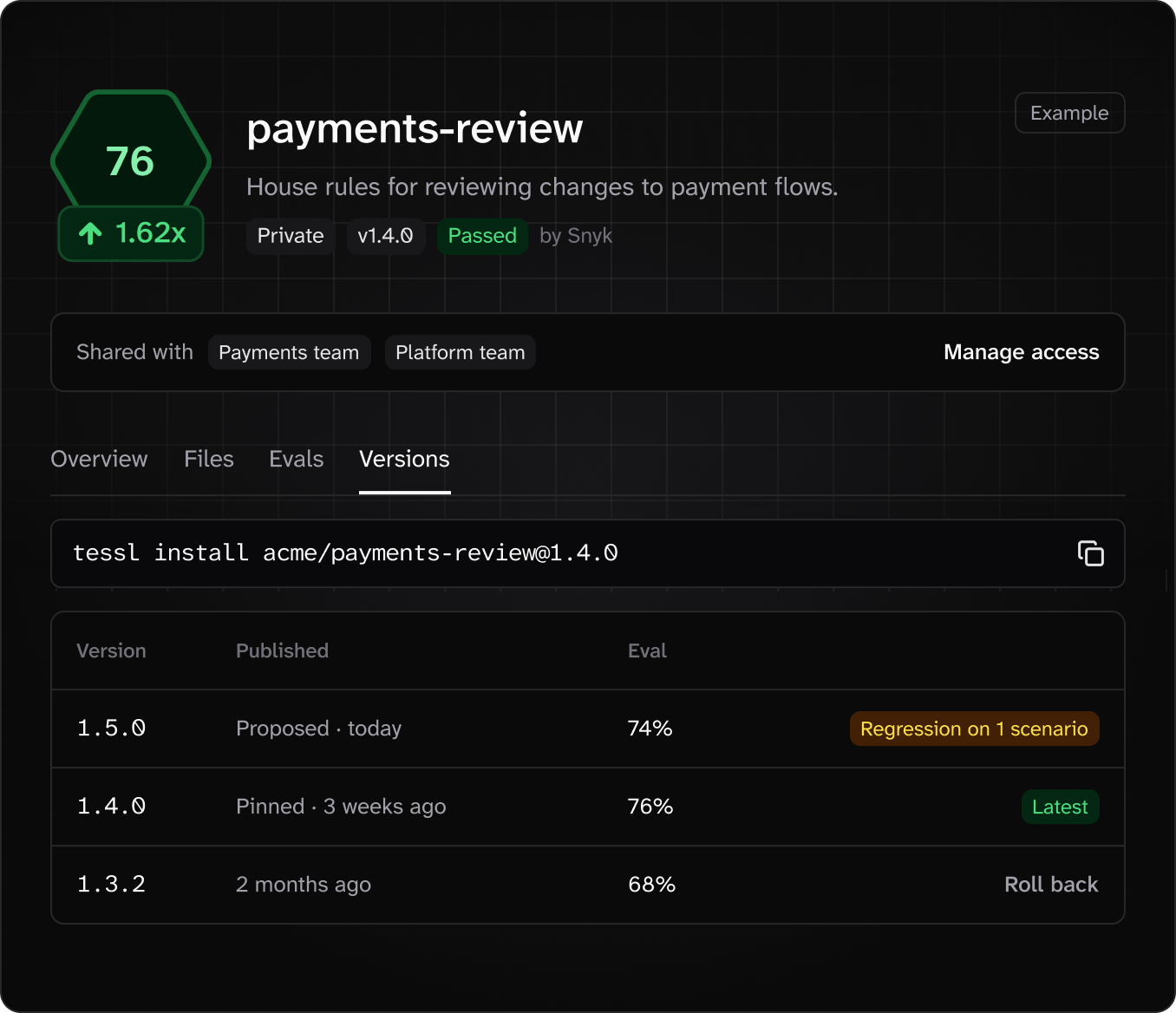
Publish skills internally and give the right teams access. Keep skills in your source control and share versioned packages across supported coding agents.
Evaluate proposed updates against the same tasks to check for improvements and regressions before adopting a new version. Install a specific version, check for updates and return to an earlier version when needed.
Public publishing is also available when you want to share with the developer community.
Explore private sharingSee how skills are adopted
Track active users, installation trends and the packages teams install most. Use adoption data to guide standardization and support teams.
Where activation data is available, inspect which skills agents are actually using.
Discuss adoptionLearn more
Guide · Docs
Understand your organization’s context
Connect source control, choose scan scope, and inspect findings.
Tutorial · Docs
Review risks and control installations
Set security thresholds and permitted-source policies.
Guide · Docs
Share and maintain private plugins
Manage private sharing, specific versions, and updates.
FAQs
No. Share internal skills through a private registry or keep context in your repositories. You can also browse public skills.
No. Tessl manages reusable context for supported agents.
Quality reviews inspect instructions. Task evaluations measure their effect on agent results.
No. An admin sets scan scope. Context and Findings reflect completed scans; a successful connection alone does not guarantee a scan has finished.
No. SAML SSO authenticates users; roles determine private-plugin access.
Manage your agents’ skills across your organization
Give teams a shared library with access controls, security policies and adoption visibility. Work with Tessl to scope repository access, security policies, private sharing and adoption reporting for your organization.