ARTICLE
Stop guessing whether your Skill works: skill-optimizer measures and improves it
Boost your AI skills with skill-optimizer. Measure, improve, and optimize performance effortlessly. Discover how to enhance success rates now.

Simon Maple
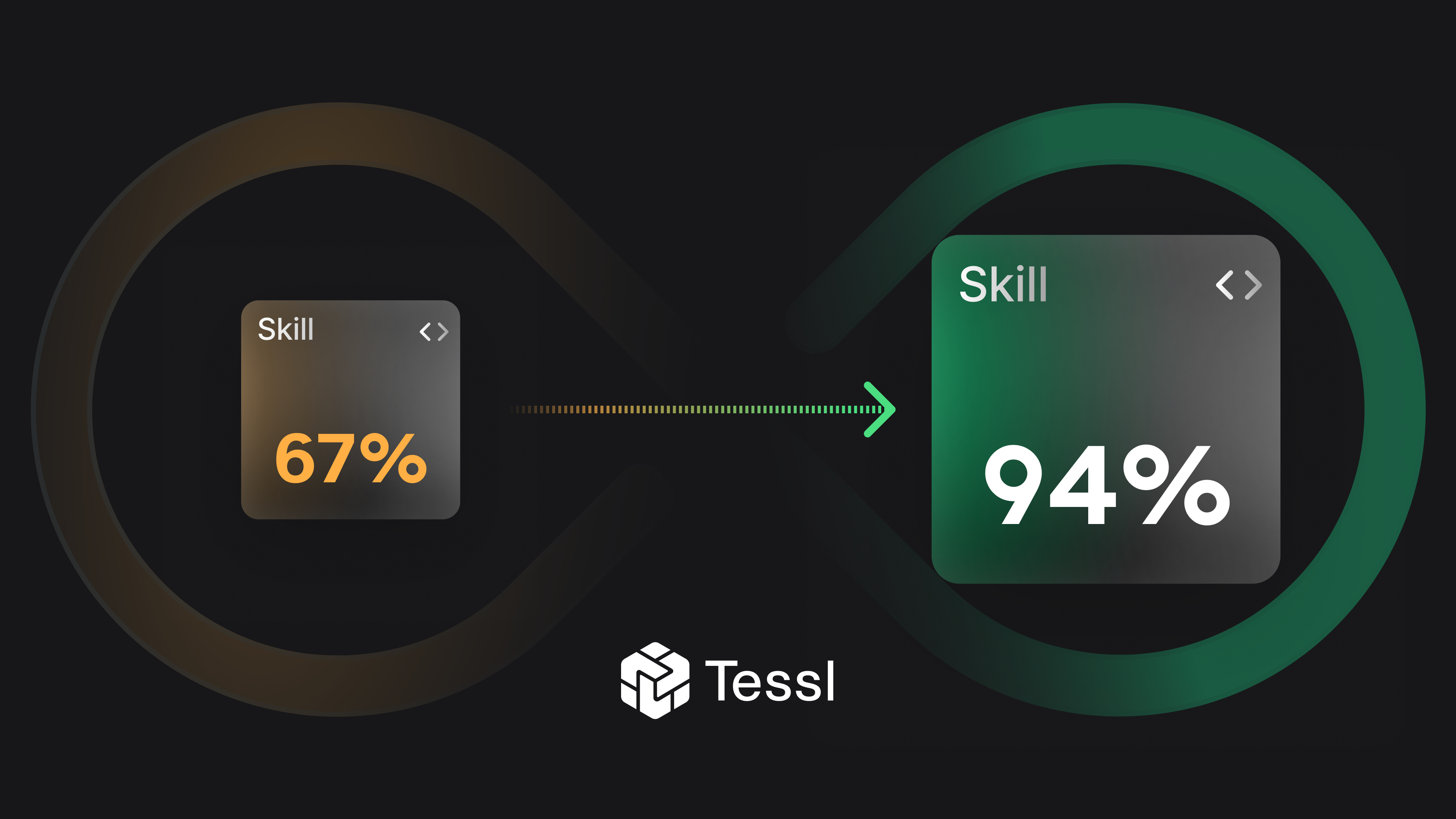
I typed one sentence into Claude Code: Please optimize the Fastify skill in this project, and then walked away to grab a coffee.
When I returned, I had a complete picture of how well Matteo Collina's fastify-best-practices skill was actually performing: five realistic eval scenarios, a baseline score for each, a full before/after comparison, a diagnosed regression, a proposed fix, and a rerun confirming the improvement. The skill went from an average success rate of 67% to 94% across real-world scenarios. I didn't write a single eval. I didn't design a single rubric. I just said three words and let skill-optimizer do the rest.
Important Update:skill-optimizer can now test whether your skill gets invoked at all. In a plugin with multiple skills, the agent has to route to the right one before any of the optimization logic matters. Activation evals (--solver=activation) surface routing gaps scenario by scenario, and automatically suggest description rewrites to fix them. It's the check you didn't know you were missing. Additionally, results analysis now uses a structured four-bucket framework (working / gap / redundant / regression) rather than a simple diagnosis pass.
Introducing skill-optimizer
When you write a SKILL.md, you're essentially writing instructions for an AI agent. The problem is you're writing those instructions blindly. You don't know:
- Whether the agent actually follows them
- Which parts are redundant (the agent already knows how to do things without the skill)
- Which parts cause regressions (your instructions confuse the agent more than help)
- Whether it works on cheaper models (Haiku) or only on expensive ones (Opus)
The skill-optimizer plugin runs your skill through a judge-scored eval pipeline, testing the agent with and without your skill on real tasks, then scoring the delta. You're not guessing anymore, you have real numbers to back up your feelings, as all Jedi should have.
How it works: two complementary approaches
The plugin combines two methods:
- Skill review (
tessl skill review)
A static analysis of yourSKILL.mditself. Scores it on four dimensions: completeness, actionability, conciseness, and robustness. This phase quickly catches structural problems before you even run the agent. - Task evals (
tessl eval run)
Generates realistic task scenarios from your skill, runs an agent on each scenario twice (once without your skill as a baseline, and once using your skill), then has an LLM as a judge score both outputs against a per-scenario rubric. The score delta tells you the skill's value-add.
The skill, optimize-skill-performance-and-instructions, combines both approaches into a single end-to-end cycle.
A real example: mcollina's fastify-best-practices skill
mcollina/skills is Matteo Collina's open-source collection of skills for modern Node.js development. It already has 1,200+ stars, 80+ forks. It covers Fastify, TypeScript, linting, documentation, and core Node.js patterns, with a SKILL.md per skill and shared rules files wiring it all together.
We ran skill-optimizer against the fastify-best-practices skill. Here's what I did as a how to so you can follow along if you like.
What actually happened
Step 1: Install the skill optimizer skill
In your skills project run:
1tessl i tessl-labs/skill-optimizerThat's it! The skills become available to Claude Code when you start it next.
Step 2: Kick off the full optimization cycle
From within Claude Code, I asked just one thing:
1Please optimize the Fastify skill in this projectRemember, always say please! That triggered a skill called optimize-skill-performance-and-instructions, which is the top level skill in the plugin that calls the others as needed. Claude Code took it from there. From Step 3, you’ll see the full sequence that claude ran automatically, and what happened at each stage.
Step 2a: Skill review (Stage 1)
Claude Code kicks off by performing a review of the Fastify skill using Tessl.
1tessl skill review skills/fastify/SKILL.mdThe result was encouraging:
1Average Score: 100%
2
3  Description: 100%
4    specificity: 3/3
5    trigger_term_quality: 3/3
6    completeness: 3/3
7    distinctiveness_conflict_risk: 3/3
8
9  Content: 100%
10    conciseness: 3/3
11    actionability: 3/3
12    workflow_clarity: 3/3
13    progressive_disclosure: 3/3
14
15✔ Skill evaluation completed successfully!
A perfect score. The description was praised for its explicit Use when guidance, natural trigger terms (Fastify, server.ts, app.ts, Pino), and clear Fastify-specific terminology that keeps it from conflicting with generic Node.js skills.
This wasn’t a surprise to me, of course, as I already worked with Matteo in a previous PR to improve all of these before.
Here's the important lesson though: a perfect review score doesn't mean your skill is actually working. The static review tells you the instructions are well-formed. It doesn't tell you whether the agent follows them. That's what the evals are for.
Does Your Skill Even Get Invoked?
A new addition to the skill! When your plugin contains multiple skills, there's a step that happens before any scoring logic runs: the agent has to pick the right skill for the task. It reads each scenario, looks at your skill descriptions,and routes accordingly. Get that wrong, and your eval scores are measuring the wrong thing entirely.
That's what activation evals are for. Rather than scoring outputs, they ask a simpler question: did the right skill actually fire?
tessl eval run <path/to/plugin> --solver=activation
The output shows you which skill activated for each scenario, or whether anything activated at all. The agent looked at the task and didn't find a skill it considered relevant. Skill-optimizer will automatically read your skill descriptions and the failing scenario, and suggest minimal rewrites to close the gap.
This matters because scored evals only tell you how well a skill performs once it's running. If it never runs in the first place, no amount of instruction-polishing will move your scores.
Step 2b: Generate eval scenarios (Stage 2)
Claude then generated 5 real world scenarios with Tessl for the skill:
1tessl scenario generate . --count=5Here are the various scenarios that were created.
Five realistic, well-scoped scenarios covering the core surface area of the skill: production config, schema validation, auth, database plugins, and file handling with tests.
Step 2c: Run evals (Stage 3)
Following the scenario generation, Claude then ran each of the scenarios as an eval using the claude-sonnet-4-6 model, with Tessl:
1tessl eval run . --agent=claude:claude-sonnet-4-6Claude Code shares a monitoring URL and polls every few minutes.
Step 2d: Analyze results (Stage 4)
Here's what came back:
Three scenarios with big gains, one modest gain, and one regression. The production config scenario is the standout. The skill took the agent from 41% to a perfect 100%. Without the skill, the agent had no idea to reach for env-schema, close-with-grace, or @fastify/under-pressure. With it, it nailed every check.
The regression on the database scenario needs attention, but we wouldn’t have known this without the fix!
Four Buckets, Not Just Pass/Fail
When I described how skill-optimizer diagnoses gaps earlier, I framed it as identifying what the skill was missing. That's still true, but the current version is considerably more structured about it. Every criterion in your eval results now gets sorted into one of four buckets:
- Working well: with-skill score is high and meaningfully above baseline. These are your strengths. Leave them alone.
- Plugin gap: both baseline and with-skill scores are low. The agent doesn't know this without your help, and the skill isn't teaching it yet. These have the highest return on fixing.
- Redundant: baseline is already high without the skill. The agent knows this from general training, which means your instructions are adding context overhead without adding value for this criterion.
- Regression: with-skill score is lower than baseline. The skill is actively confusing the agent on this point. Highest priority to address.
The redundant bucket is the one that tends to catch people off guard. The instinct is that more guidance is always better, but instructions covering things the model already does well just take up attention budget. Skill-optimizer flags these and suggests either removing the criterion altogether or replacing it with a harder scenario that actually tests what your skill brings to the table.
Step 2e: Diagnose and fix (Stage 5)
The regression: database-plugin-architecture
Drilling into the per-check breakdown reveals the problem:
1  Scenario 4: Database plugin architecture with official adapters
2
3  Baseline (without context)
4    onClose hook for cleanup           7/10  (70%)
5    Async hooks used                   10/10 (100%)
6    Structured logging in routes/hooks 2/10  (20%)
7
8  With context
9    onClose hook for cleanup           6/10  (60%)   ← got worse
10    Async hooks used                   7/10  (70%)   ← got worse
11    Structured logging in routes/hooks 0/10  (0%)    ← got worse
Two checks the agent handled fine without the skill actually got worse with it. Claude Code diagnosed the cause: hooks.md contained a callback-style AVOID example that was confusing the agent's async hook implementation. And database.md had no example of structured logging in route handlers, leaving a gap the baseline agent was partially filling on its own.
The gaps: TypeBox schema scenario
1  Shared schema with $id and $ref              0/8  (0%)   → same score both runs
2  additionalProperties: false on input schemas 0/8  (0%)   → skill not teaching this
3  @fastify/error used                          0/10  (0%)  → not mentioned in skill
So it turns out that these weren't regressions, but rather that the skill just wasn't covering them at all.
Here is the summary of fixes that Claude automatically went on to make:
Step 2f: Re-run and verify (Stage 6)
Claude then reran the tests to show the improvement after the fixes to the skill was made:
The regression is gone. The TypeBox scenario jumped from 82% to 92%. The file upload scenario went from 85% to 94%. Overall average moved from 89% to 94%.
One stubborn gap remains: Structured logging in routes/hooks is still scoring 0/10 even after the fixes. That's for the next iteration.
Step 2g Does Your Skill Work Across Models?
I mentioned earlier that you can validate across Haiku, Sonnet, and Opus. The compare-skill-model-performance skill now makes this a structured workflow rather than something you'd stitch together manually. You run your scenarios against all three models and get a side-by-side comparison.
1tessl eval run . --agent=claude:claude-haiku-4-5
2tessl eval run . --agent=claude:claude-sonnet-4-6
3tessl eval run . --agent=claude:claude-opus-4-6
But the more useful output is the failure pattern classification.
There are four patterns to watch for:
- Universal failure — all three models fail the same criterion. This is a tile gap: the instruction is missing, ambiguous, or conflicting across your files.
- Capability gradient — Haiku fails, but Sonnet and Opus pass. Your instructions are present, but they're too implicit for a smaller model to follow reliably. The fix is more explicit phrasing, not more content.
- Model anomaly — a single model fails while the others pass. Likely eval variance. Worth noting, but not worth over-engineering a fix.
- Regression — with-skill scores drop below baseline on one or more models. The skill is actively hurting performance, regardless of which model it affects.
The capability gradient pattern is the one that changes how I think about writing skill instructions. If you're publishing to the registry, you don't control which model your users run. Instructions that only work because Opus can infer what you meant aren't robust — they're prompts that happen to work on a capable model. Writing more explicit instructions closes that gap across the whole model range.
Once all three models come in at ≥ 85% with no regressions, you have a clean signal to publish:If Haiku struggles on specific criteria, Claude Code will tell you, and the fix is usually simpler, more explicit phrasing rather than restructuring the whole skill.
Once all three models score well, it':
1tessl tile publish <path/to/tile>Summary: when to reach for each skill
| You want to... | Use this skill |
|---|---|
| Run a full skill optimize end-to-end | optimize-skill-performance-and-instructions |
| Generate scenarios + first baseline run | setup-skill-performance |
| You have eval results, want to fix and re-run | optimize-skill-performance |
| Quickly audit SKILL.md quality (no evals) | optimize-skill-instructions |
| compare-skill-model-performance | compare-skill-model-performance |
The fastify-best-practices skill scored a perfect 100% on static review, well-structured description, good trigger terms, clean layout. And it still had a regression in production.
That's the gap skill-optimizer closes. Static review tells you the instructions are well-formed. Evals tell you whether the agent actually follows them. For the production config scenario, the skill took the agent from 41% to 100%, things like env-schema, close-with-grace, and @fastify/under-pressure that the agent simply doesn't reach for without explicit guidance. That gap is impossible to identify without measurement.
For anyone publishing skills to the Tessl registry, running this before you publish is the difference between shipping something that works and shipping something you hope works.
COPY & SHARE
Simon Maple
Simon Maple is the Head of Developer Relations at Tessl, and AI Native Dev co-host. Previously, Simon was the Field CTO, and VP Developer Relations at Snyk, ZeroTurnaround, and IBM. He became a Java Champion in 2014, JavaOne Rockstar speaker in 2014 and 2017, Duke’s Choice award winner, Virtual JUG founder and organiser, and London Java Community co-leader.
READING
·
0%
IN THIS POST
COPY & SHARE
Simon Maple
Simon Maple is the Head of Developer Relations at Tessl, and AI Native Dev co-host. Previously, Simon was the Field CTO, and VP Developer Relations at Snyk, ZeroTurnaround, and IBM. He became a Java Champion in 2014, JavaOne Rockstar speaker in 2014 and 2017, Duke’s Choice award winner, Virtual JUG founder and organiser, and London Java Community co-leader.
YOUR NEXT READ
The new Tessl review: now you decide what "good" looks like:
The new Tessl review lets users define their own criteria for skill quality, offers agent-based accuracy, and maintains a history of review runs.
Simon Maple